
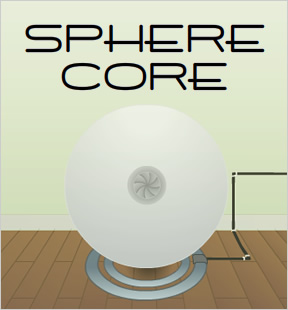
 Sphere Core
 is the first game in the series of "Core" adventure games created by John Feltham. Not quite as well-crafted as the successors in the series, but John does a great job with creating a mysteriously ominous atmosphere within which to play. Some pixel hunting is necessary as case out the room in search of the titular power cores that define series. Also, some quirky interface issues are present, which may cause some players frustration. For example, when using a screwdriver, touch the screw with the cursor pointer tip, not the tip of the screw driver as one might intuitively attempt. Short and sweet, this decent point-and-click lays the groundwork for the core series concept. (See what I did there?)
Play all the Core Series games:
Play Sphere Core







Walkthrough Guide
(Please allow page to fully load for spoiler tags to be functional.)
Sphere Core Walkthrough
Material collection
Screwdriver
Click on the floorboards below the sphere to enter a new screen. Click on the center floorboard to reveal an alcove containing the screwdriver.
Glass
Click on the floorboards below the sphere to enter a new screen. Click on the center floorboard to reveal an alcove containing the glass.
Electrical Tiles (3)
Open the cupboard below the sink and collect the tile found within.
Collect the tile from the back of the right alcove of the ENERTRON.
An electrical tile is extracted from behind the sink; click on the blue tile behind the top of the head of the faucet to retrieve it.
Power Cores (2)
Collect both power cores from the alcove behind the metal panel in the kitchen area.
To remove the metal panel, unscrew each of the four screws with the screwdriver.
Remote
Collect the remote control from the alcove behind the metal panel in the kitchen area.
To remove the metal panel, unscrew each of the four screws with the screwdriver.
Kettle
Collect the kettle from the table next to the enertron
Ice block
The ice block is actually a frozen embryo. Collect it from the gray canister (with the yellow insignia) from the kitchen area.
To open the canister, click on the top of it, dial in the 3-symbol passphrase, then hit the rightmost red circle.
The symbols represent numbers (from 1 to 5).
The symbol-to-number mapping is written in the cupboard beneath the sink.
The passphrase (in numbers) is written somewhere in the kitchen.
The passphrase (in numbers) is written behind the wallpaper above the sink; click on the frayed wallpaper to reveal it.
The passphrase is 534.
Hot water
Collect hot water from the boiling kettle with the cup.
Boil the water in the kettle by placing the kettle on its stand.
Fill the kettle with water by turning on the faucet (click its handle) in the kitchen area, then dragging the kettle under the running water.
The ENERTRON
Note: I ran into some UI problems using the ENERTRON. If it seems like something isn't working, it probably isn't, and you may have to restart the game.
Power the first power core
Charge the first power core with cold energy. Note: Though they appear identical, you must use the "first" power core (the one from the second-to-last inventory panel) to store cold energy.
Use the frozen embryo to power fuel the power core.
Place the frozen embryo in the left alcove and first power core in the right alcove, then hit the button in the center. Collect the frozen embryo and the now-charged core.
Power the second power core
Charge the second power core with heat energy. Note: Though they appear identical, you must use the "second" power core (the one from the rightmost inventory panel) to store heat energy.
Use the cup of hot water to fuel the second power core.
Place the cup of hot water in the left alcove and second power core in the right alcove, then hit the button in the center. Collect the cup of hot water and the now-charged core.
The sphere
Power the sphere with electricity
Complete the electrical circuit panel (found on the screen to the right of the sphere) and push the button (with the lightning bolt icon) to power the sphere.
Complete the circuit by placing the four electrical tiles (three of which you collected) in the correct positions on the grid.
If you are having trouble arranging the tiles, follow these steps.
Drag the tiles from your inventory to the horizontal wooden bars to the right of the circuit grid.
Leave the screen, then return to it; this will reset the circuit tiles to their default positions.
Place the top tile in the lower left of the grid.
Place the second-from-top tile in the upper right of the grid.
Place the third-from-top tile in the upper left of the grid.
Place the remaining tile in the lower right of the grid.
Push the power button.
Use the supercool power core
Place the supercool power core in the iris of the sphere and close the iris. (Open and close the iris with top button on the remote control.)
Levitate the sphere and extend its legs by pressing the left button on the remote control.
Expose the robot's head by pressing the bottom button on the remote control.
Open the iris and retrieve the supercool power core.
Use the hot power core
Place the hot power core in the iris of the sphere and close the iris. (Open and close the iris with top button on the remote control.)
Using the robot's powers and heat energy, supercharge the supercool power core.
The robot can infuse heat energy via its mouth (but not by dropping a core in directly). Activate this robot power with the rightmost button on the remote control.
Specifically, the robot projects a beam to infuse heat energy into the supercool power core.
... but only if the supercool power core is in the correct position relative to the robot.
Specifically, the supercool power core must be directly in front of the mouth of the robot.
In the kitchen area, click on the giant screw until it is at its tallest setting. Then place the supercool power core on the screw. Then press the rightmost button on the remote control.
Escape
Collect the now-supercharged power core from the screw pedistal.
Remove the hot power core from the iris of the sphere, and replace it with the supercharged power core. Close the iris.
Activate the void power of the robot by clicking the center button of the remote.
Click on the void in the wall to complete the game.
Posted by: cheeken |
April 4, 2009 1:35 AM
|
April 4, 2009 1:35 AM