New Casual Game Releases [ one | two ]
The Serpent of Isis
The Serpent of Isis
Paradise Beach
Paradise Beach
Joan Jade and the Gates of Xibalba
Millennium: A New Hope
Aveyond: The Lost Orb
Eden's Quest
Eden's Quest
Potion Bar
Potion Bar
Farm Frenzy 3: Ice Age
Sprill & Ritchie: Adventures in Time
Jane Angel: Templar Mystery

Leeloo's Talent Agency
Alice in Wonderland
Alice in Wonderland
Treasure Seekers: Follow the Ghosts
Brain Games: Mahjongg
Joan Jade and the Gates of Xibalba
Engineering: The Mystery of the Ancient Clock
The Palace Builder
The Palace Builder
Drugstore Mania
Drugstore Mania
AltSHIFT
AltSHIFT
2 Tasty
2 Tasty

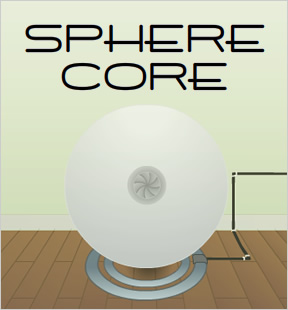
Sphere Core


JaySphere CoreSphere Core is the first game in the series of "Core" adventure games created by John Feltham. Not quite as well-crafted as the successors in the series, but John does a great job with creating a mysteriously ominous atmosphere within which to play. Some pixel hunting is necessary as case out the room in search of the titular power cores that define series. Also, some quirky interface issues are present, which may cause some players frustration. For example, when using a screwdriver, touch the screw with the cursor pointer tip, not the tip of the screw driver as one might intuitively attempt. Short and sweet, this decent point-and-click lays the groundwork for the core series concept. (See what I did there?)

Play Sphere Core

Walkthrough Guide

Sphere Core Walkthrough

Material collection

Screwdriver

Click on the floorboards below the sphere to enter a new screen. Click on the center floorboard to reveal an alcove containing the screwdriver.

Glass

Click on the floorboards below the sphere to enter a new screen. Click on the center floorboard to reveal an alcove containing the glass.

Electrical Tiles (3)

Open the cupboard below the sink and collect the tile found within.

Collect the tile from the back of the right alcove of the ENERTRON.

An electrical tile is extracted from behind the sink; click on the blue tile behind the top of the head of the faucet to retrieve it.

Power Cores (2)

Collect both power cores from the alcove behind the metal panel in the kitchen area.

To remove the metal panel, unscrew each of the four screws with the screwdriver.

Remote

Collect the remote control from the alcove behind the metal panel in the kitchen area.

To remove the metal panel, unscrew each of the four screws with the screwdriver.

Kettle

Collect the kettle from the table next to the enertron

Ice block

The ice block is actually a frozen embryo. Collect it from the gray canister (with the yellow insignia) from the kitchen area.

To open the canister, click on the top of it, dial in the 3-symbol passphrase, then hit the rightmost red circle.

The symbols represent numbers (from 1 to 5).

The symbol-to-number mapping is written in the cupboard beneath the sink.

The passphrase (in numbers) is written somewhere in the kitchen.

The passphrase (in numbers) is written behind the wallpaper above the sink; click on the frayed wallpaper to reveal it.

The passphrase is 534.

Hot water

Collect hot water from the boiling kettle with the cup.

Boil the water in the kettle by placing the kettle on its stand.

Fill the kettle with water by turning on the faucet (click its handle) in the kitchen area, then dragging the kettle under the running water.

The ENERTRON

Note: I ran into some UI problems using the ENERTRON. If it seems like something isn't working, it probably isn't, and you may have to restart the game.

Power the first power core

Charge the first power core with cold energy. Note: Though they appear identical, you must use the "first" power core (the one from the second-to-last inventory panel) to store cold energy.

Use the frozen embryo to power fuel the power core.

Place the frozen embryo in the left alcove and first power core in the right alcove, then hit the button in the center. Collect the frozen embryo and the now-charged core.

Power the second power core

Charge the second power core with heat energy. Note: Though they appear identical, you must use the "second" power core (the one from the rightmost inventory panel) to store heat energy.

Use the cup of hot water to fuel the second power core.

Place the cup of hot water in the left alcove and second power core in the right alcove, then hit the button in the center. Collect the cup of hot water and the now-charged core.

The sphere

  1. Power the sphere with electricity

    Complete the electrical circuit panel (found on the screen to the right of the sphere) and push the button (with the lightning bolt icon) to power the sphere.

    Complete the circuit by placing the four electrical tiles (three of which you collected) in the correct positions on the grid.

    If you are having trouble arranging the tiles, follow these steps.

    1. Drag the tiles from your inventory to the horizontal wooden bars to the right of the circuit grid.

    2. Leave the screen, then return to it; this will reset the circuit tiles to their default positions.

    3. Place the top tile in the lower left of the grid.

    4. Place the second-from-top tile in the upper right of the grid.

    5. Place the third-from-top tile in the upper left of the grid.

    6. Place the remaining tile in the lower right of the grid.

    7. Push the power button.

  2. Use the supercool power core

    1. Place the supercool power core in the iris of the sphere and close the iris. (Open and close the iris with top button on the remote control.)

    2. Levitate the sphere and extend its legs by pressing the left button on the remote control.

    3. Expose the robot's head by pressing the bottom button on the remote control.

    4. Open the iris and retrieve the supercool power core.

  3. Use the hot power core

    1. Place the hot power core in the iris of the sphere and close the iris. (Open and close the iris with top button on the remote control.)

    2. Using the robot's powers and heat energy, supercharge the supercool power core.

      The robot can infuse heat energy via its mouth (but not by dropping a core in directly). Activate this robot power with the rightmost button on the remote control.

      Specifically, the robot projects a beam to infuse heat energy into the supercool power core.

      ... but only if the supercool power core is in the correct position relative to the robot.

      Specifically, the supercool power core must be directly in front of the mouth of the robot.

      In the kitchen area, click on the giant screw until it is at its tallest setting. Then place the supercool power core on the screw. Then press the rightmost button on the remote control.

  4. Escape

    1. Collect the now-supercharged power core from the screw pedistal.

    2. Remove the hot power core from the iris of the sphere, and replace it with the supercharged power core. Close the iris.

    3. Activate the void power of the robot by clicking the center button of the remote.

    4. Click on the void in the wall to complete the game.

5 Comments [leave a comment]

I just added this one since we missed it when it was first released.

We need a walkthrough, anyone want to help out here?

I'll give a free game coupon to a nicely formatted (and correct!) walkthrough that's not taken from some other site.

Sphere Core Walkthrough

  1. Click at the bottom edge of the screen to look at the floor.

  2. A little above the dead center there's a crack, go ahead and click on it to reveal a hole.

  3. Pick up the screwdriver and the empty glass. Both are kind of hidden and may be hard to see. The screwdriver is off to the left, the empty glass is up top and to the right. Click off to the left side of the screen to get a view of the Enertron.

  4. Pick up the Kettle. You'll notice in the window to the right, the back wall has some meandering lines on it. Click on it to get part of the circuit board. Go left.

  5. Use the screwdriver on each of the four corners of the metal plate on the wall. Get the circular remote control and the two power cells.

  6. Same view off to the left there is a faucet. There is a clickable blue tile at the head of the faucet, click it to get another piece of the circuit board.

  7. Click on the faucet to turn it on and use the kettle on the faucet.

  8. Open the cabinet beneath the sink. Make a note of the written numbers and symbols but for now click the darker square at the bottom of the cupboard to get the third circuitboard tile.

  9. There is a hotspot where the green wallpaper meets the white a little higher than halfway down. Click on it to reveal a three digit number.

  10. The number will be 534. Now with this in mind and the translation in the cupboard beneath the sink, click on the canister in the right hand corner with the biohazard symbol on it.

  11. Enter in the translated code, from left to right you should have to click the buttons: four times, two times, three times. Now click on the button off to the right to open the canister.

  12. Click on the frozen embryo and click off to the side to zoom out.

  13. Go left.

  14. Use the circuit tiles on the brown bars so that they are all lined up vertically. From here our job is to place the circuit board tiles in the correct positions on the square block to the left.

  15. Numbering the tiles 1-4, they should go in the following positions. 1:bottom left 2: top right 3: top left 4: bottom right.

  16. With the tiles in the correct positions, click on the yellow button with the black lightning bolt symbol.

  17. Turn all the way around to face the enerton.

  18. Place the frozen embryo in the left hand window and one of the power cells in the right hand window, click the green button and when the process finishes, take both out again.

  19. Place the kettle back on the docking bay you took it from and use the glass on the kettle. Now place the glass full of hot water on the left hand enerton window, and the other depleted power cell on the right hand window. When the process is complete, remove the power cell and turn right to look at the sphere (you don't need the water glass anymore.

  20. Click on the circular remote control in your inventory to make it visible.

  21. Click on the top button (v shaped symbol) to open the iris.

  22. Place the cold power cell in the opened iris, and click the top button again to close the iris.

  23. Click the left most button (looks like a zero) to make the sphere float and extend its legs.

  24. Click the bottom button (shaped sort of like a cursive lower case a) to extend the robot's head.

  25. Now click the top button to open the iris, remove the cold cell, and insert the heated cell. Click the top button again to close the iris, and turn all the way around to face the portion of the room with the sink.

  26. Click on the giant screw until it is in its highest position.

  27. Use the cold core on the top of the screw. Click the right most button on the remote control. When the process is finished, take the now supercharged power cell and turn around to face the sphere.

  28. Click the top button on the remote, remove the power cell and replace it with the super charged power cell and click the top button again to close the iris.

  29. Click the middle button on the remote and wait for the process to finish.

  30. Click on the gaping black hole and you are finished! Congratulations!

Thanks, Kyle! \o/

Sphere Core Walkthrough

Material collection

Screwdriver

Click on the floorboards below the sphere to enter a new screen. Click on the center floorboard to reveal an alcove containing the screwdriver.

Glass

Click on the floorboards below the sphere to enter a new screen. Click on the center floorboard to reveal an alcove containing the glass.

Electrical Tiles (3)

Open the cupboard below the sink and collect the tile found within.

Collect the tile from the back of the right alcove of the ENERTRON.

An electrical tile is extracted from behind the sink; click on the blue tile behind the top of the head of the faucet to retrieve it.

Power Cores (2)

Collect both power cores from the alcove behind the metal panel in the kitchen area.

To remove the metal panel, unscrew each of the four screws with the screwdriver.

Remote

Collect the remote control from the alcove behind the metal panel in the kitchen area.

To remove the metal panel, unscrew each of the four screws with the screwdriver.

Kettle

Collect the kettle from the table next to the enertron

Ice block

The ice block is actually a frozen embryo. Collect it from the gray canister (with the yellow insignia) from the kitchen area.

To open the canister, click on the top of it, dial in the 3-symbol passphrase, then hit the rightmost red circle.

The symbols represent numbers (from 1 to 5).

The symbol-to-number mapping is written in the cupboard beneath the sink.

The passphrase (in numbers) is written somewhere in the kitchen.

The passphrase (in numbers) is written behind the wallpaper above the sink; click on the frayed wallpaper to reveal it.

The passphrase is 534.

Hot water

Collect hot water from the boiling kettle with the cup.

Boil the water in the kettle by placing the kettle on its stand.

Fill the kettle with water by turning on the faucet (click its handle) in the kitchen area, then dragging the kettle under the running water.

The ENERTRON

Note: I ran into some UI problems using the ENERTRON. If it seems like something isn't working, it probably isn't, and you may have to restart the game.

Power the first power core

Charge the first power core with cold energy. Note: Though they appear identical, you must use the "first" power core (the one from the second-to-last inventory panel) to store cold energy.

Use the frozen embryo to power fuel the power core.

Place the frozen embryo in the left alcove and first power core in the right alcove, then hit the button in the center. Collect the frozen embryo and the now-charged core.

Power the second power core

Charge the second power core with heat energy. Note: Though they appear identical, you must use the "second" power core (the one from the rightmost inventory panel) to store heat energy.

Use the cup of hot water to fuel the second power core.

Place the cup of hot water in the left alcove and second power core in the right alcove, then hit the button in the center. Collect the cup of hot water and the now-charged core.

The sphere

  1. Power the sphere with electricity

    Complete the electrical circuit panel (found on the screen to the right of the sphere) and push the button (with the lightning bolt icon) to power the sphere.

    Complete the circuit by placing the four electrical tiles (three of which you collected) in the correct positions on the grid.

    If you are having trouble arranging the tiles, follow these steps.

    1. Drag the tiles from your inventory to the horizontal wooden bars to the right of the circuit grid.

    2. Leave the screen, then return to it; this will reset the circuit tiles to their default positions.

    3. Place the top tile in the lower left of the grid.

    4. Place the second-from-top tile in the upper right of the grid.

    5. Place the third-from-top tile in the upper left of the grid.

    6. Place the remaining tile in the lower right of the grid.

    7. Push the power button.

  2. Use the supercool power core

    1. Place the supercool power core in the iris of the sphere and close the iris. (Open and close the iris with top button on the remote control.)

    2. Levitate the sphere and extend its legs by pressing the left button on the remote control.

    3. Expose the robot's head by pressing the bottom button on the remote control.

    4. Open the iris and retrieve the supercool power core.

  3. Use the hot power core

    1. Place the hot power core in the iris of the sphere and close the iris. (Open and close the iris with top button on the remote control.)

    2. Using the robot's powers and heat energy, supercharge the supercool power core.

      The robot can infuse heat energy via its mouth (but not by dropping a core in directly). Activate this robot power with the rightmost button on the remote control.

      Specifically, the robot projects a beam to infuse heat energy into the supercool power core.

      ... but only if the supercool power core is in the correct position relative to the robot.

      Specifically, the supercool power core must be directly in front of the mouth of the robot.

      In the kitchen area, click on the giant screw until it is at its tallest setting. Then place the supercool power core on the screw. Then press the rightmost button on the remote control.

  4. Escape

    1. Collect the now-supercharged power core from the screw pedistal.

    2. Remove the hot power core from the iris of the sphere, and replace it with the supercharged power core. Close the iris.

    3. Activate the void power of the robot by clicking the center button of the remote.

    4. Click on the void in the wall to complete the game.

Even better, cheeken!

I'm sending a game coupon to your CG account email address.

Thank you! :)

Leave a comment [top of page]

  • Please consider creating a Casual Gameplay account if you're a regular visitor here, as it will allow us to create an even better experience for you. Sign-up here!
  • PLEASE UNDERSTAND SITE POLICIES BEFORE POSTING COMMENTS
  • You may use limited HTML tags for style:
    (a href, b, br/, strong, em, ul, ol, li, code, spoiler)
  • To post spoilers, please use spoiler tags: <spoiler> example </spoiler>
    If you need help understanding spoiler tags, read the spoiler help.
  • Please Preview your comment before posting, especially when using spoilers!
  • No link dropping, no domains as names; do not spam, and do not advertise! (rel="nofollow" in use)
Enter your comment here:

Welcome! The best Flash and Casual games available on the Web get reviewed, discussed and recommended here.

Welcome! The best Flash and Casual games available on the Web get reviewed, discussed and recommended here.

Favorite Games [edit]

Save links to your favorite games here. Use the Favorites editor.

Top Rated | Recommended

Christmas Escape 3 The Company of Myself Choice of the Dragon Hanamushi: Flower Insects Continuity Every Day The Same Dream Factory Balls 3 Bubble Tanks Tower Defense Ugly Americans: Citizen Ugly Loom Dawn Saira Planet M.U.L.E. Delicious Emily's Holiday Season Mishap: An Accidental Haunting Dual Transform Plants vs. Zombies (iPhone) Rover's Day Out Robot Unicorn Attack
Choose between Top Rated or random Recommended games. Setting is saved automatically.

Recommended
Casual Games Download

Alt Shift Sprouts Adventure Virtual Villagers 2: The Lost Children Escape from Paradise 2: A Kingdom's Quest Home Sweet Home Princess Isabella: A Witch's Curse Burger Shop 2 The Adventures of Mary Ann: Lucky Pirates Fairway Solitaire Westward IV: All Aboard Jojo's Fashion Show Westward II: Heroes of the Frontier Virtual City Farm Frenzy 3 Mystery Case Files: Dire Grove Artist Colony Fizzball Virtual Villagers 3: The Secret City Westward III: Gold Rush Drawn: The Painted Tower PuppetShow: Mystery of Joyville
Support this site through your purchase of any game in this section. Thank you kindly. =)

Worth the trip

Jane McGonigal's Avant Game blog The Escapist online magazine Notes on Game Dev Videoludica: Game Culture Good Experience Games Kongregate Stumble Upon 4-Color Rebellion Gamespot news
Recommended external site links

Support JIG


Add this game to your website

Monthly Archives

Legal notice

All games mentioned and images appearing on JayIsGames are Copyright their respective owner(s).

All other content is Copyright ©2003-2010 Casual Gameplay. All Rights Reserved.


Mystery Case Files: Dire Grove

Help protect the Japan dolphins


Flash Game License

Plants vs. Zombies

Link back to JIG!  

Jay is Games

[HTML code]