


New games|All games|Competitions|Suggest a game|Favorites|Help Squad|Chat|Prefs
CGDC5 Finalists are up! Finally, the moment we've been waiting for, the day all the finalists into our 5th Casual Gameplay Design Competition are now available to play! The extension of the deadline was well worth the wait as we now have 21 solid entries for you to enjoy. Don't forget to leave your kind feedback and constructive criticism for the game designers. [more info]
By Kero | add to favorites | add to your website | add to del.icio.us

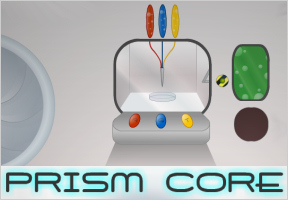
prismcore1.jpgKeroThe third installment of the Core series, Prism Core, has just been released by John Feltham of Arcade Cabin. The game is similar in concept to the previous two in that you must figure out how to power the core using the various tools from around the room. This one proves to be somewhat more difficult than the previous games, however.

You are given a choice between three items to start you on your way: an instant camera, a genetic print out, and a power core. You will need different items for different reasons depending on which item you choose. For example, with the power core the game will tell you that you do not need the beaker on the table. This implies that with each item you may have to come to a different solution or that you will have to come to the same solution in a completely different manner. Either way is a very unique and welcomed twist on the escape the room genre.

Analysis: My biggest concern with this game is that I found it much more difficult than the previous two and had a lot of trouble getting going. This may not be an issue at all, perhaps my way of thinking is just different than the method of problem solving required by this game. All in all this is a great addition to the series and I definitely recommend checking it out. Play Prism Core.

  • Currently 4.5/5
  • 1
  • 2
  • 3
  • 4
  • 5
New! Rating: 4.5/5 (15 votes cast)

Prism Core walkthrough now available!

Walkthrough Guide

Full walkthrough

image
Camera:
image
  1. image
    Chose camera, click on door, go through to main room.
  2. image
    Rotate prism until violet.
  3. image
    Move around room to table with compost, take compost.
  4. image
    Move around room to Chemistry Apparatus.
  5. image
    Use camera on hook (where it says the outline of a key is clearly visible in the UV light)
  6. image
    Move around room to ‘Transmat’
  7. image
    Put photo in left opening and compost in right opening. Press button. Take key.
  8. image
    Use key on padlock. Click on grill to escape.
Paper:
image
  1. image
    Chose paper, click on door, go through to main room.
  2. image
    Move around room to Species Database.
  3. image
    Click on paper. Note Species Code GH745-3EK. Note recipe (A=30% T=30%, G=40%)
  4. image
    Type GH745-3EK into species database and click button. Read text, note code for Jan-ro Orchid FP521-9EK. Note needs red light. Press Return Key.
  5. image
    Type FP521-9EK into species database and click button. Read text, note recipe (A=10% T=30%, G=60%) note code for Lor-thun fly PS971-3EK. Press Return Key.
  6. image
    Type PS971-3EK into species database and click button. Read text, note recipe (A=20% T=70%, G=10%)
  7. image
    Move around room to Petri dish.
  8. image
    Press A 3 times, T 3 times and G 4 times. (Note buttons are in order AGT – NOT ATG) Click button to create mog-pig. Take mog-pig.
  9. image
    Press A 1 time, T 3 times and G 6 times. Click button to create seedling. Take seedling.
  10. image
    Press A 2 time, T 7 times and G 1 times. Click button to create Lor-thun fly. Take fly.
  11. image
    Move around room to Chemistry Apparatus. Take beaker.
  12. image
    Move around room to table with compost, take compost.
  13. image
    Place compost in pot. Put seedling in pot. Fill beaker from barrel. Pour water on seedling. Refill beaker with water.
  14. image
    Move around room to prism. Rotate prism until red. Return to orchid.
  15. image
    Put fly on flower. Take fruit. Return to mog-pig.
  16. image
    Give fruit to mog-pig. Take poo. Put poo in beaker with water. Return to chemistry apparatus. Replace beaker. Take acid.
  17. image
    Use acid on padlock. Click on grill to escape.
Power Core:
image
  1. image
    Chose power core, click on door, go through to main room.
  2. image
    Move around room to table with compost, take compost.
  3. image
    Move around room to gears, take smallest gear.
  4. image
    Move around room to ‘Transmat’
  5. image
    Put gear in left opening and compost in right opening. Press button. Take both gears.
  6. image
    Return to gears, replace both gears, press button, take photo.
  7. image
    Return to table with compost, take compost.
  8. image
    Return to ‘Transmat’
  9. image
    Put photo in left opening and compost in right opening. Press button. Take screwdriver.
  10. image
    Zoom in on metal plate. Use screwdriver with screws.
  11. image
    Note connection is currently between O and I. Change it so is connected between O and II. (easiest to start from II and work backwards, I think) One piece won’t turn.
  12. image
    Transmat is now set to ‘Mode 2’.
  13. image
    Move around room to prism. Rotate prism until red.
  14. image
    Move to gears. Place powercore on shelf below the yellow rod (lens). Press button to rotate lens – power core will infuse with red light. Return to Transmat (back 2).
  15. image
    Place power core in hole in left section of Transmat. Press button to extract energy from the core and create a red sphere. Remove the power core.
  16. image
    Return to prism. Rotate prism for each colour, filling the power core with different coloured light and returning to the Transmat to create 6 spheres.
  17. image
    Move to the door with the switches and the holes. Place 4 of the spheres in the holes and press the white button.
  18. image
    Remember the game ‘Mastermind’ you played as a kid? Well the lights above each of the spheres give a clue to which spheres should be where. Green light above means correct colour, correct place, orange light means correct colour, wrong place, red light means wrong colour. Change the spheres until all are correct – door will open.
  19. Spoiler for colours:
    image
    I’ve played twice and has been Violet Green Yellow Red both times.
  20. image
    Turn off light switch (if not off already).
  21. image
    Return to prism. Rotate prism to the first colour in the door opening sequence, (Violet for me) return to room with light off – a number should be projected onto the wall.
  22. image
    Enter this number into the panel at the end. Return to the prism, rotating it to each colour of the sequence and noting the number projected. Press button, take crystal.
  23. Spoiler for numbers:
    image
    Has been 2097 both times for me.
  24. image
    Return to prism. Use crystal with prism. Rotate prism to white light. Click on crystal.
  25. image
    Return to gears. Place powercore on shelf. Press button to rotate lens – power core will infuse with white light. Return to Transmat, and you’re done!

Comments (may contain spoilers)

Well here I go, the first time I've started a game without the comfort of a walkthrough to fall back on so I hope you guys are furiousy working on one!
All hail the mograt!

Very cool game even though im stuck at the start

Excellent point and click, but not too difficult. I began with the paper, and I'm about to start with the others. I have to say, I was stuck on the

image
acidic poo
for a long time... Wish the game was longer, but that must be the reason for the 3 options at the beginning.

Wow! That was short, finished the camera,,, on to the formula

Pachuco-
I also started with the paper and i am stuck at the

image
acidic poo
any hints as to what i should do with it?

The camera run-through took me 5 minutes, that was hardly a challenge! I hope the other items will be more complex... to the paper!

try using it with one of your items.

it mixes with

image
water


I'm goin to try to make a walkthrough soon, I just finished all 3 options.

Right, the solution for the camera:
1.

image
pick the camera at the begnning..duh :P

2.
image
Click the hatch to open it

3.
image
Go forward once and click the prism until the dialog about the "violet light fills the room" appears

4.
image
Go forward again and turn until you get to the section of wall with the beaker

5.
image
See the outline of the key? Take a picture of it with..you guessed it..the instant camera.

6.
image
Keep turning until you find a bag with compost. Grab some.

7.
image
Now turn until you get to the Transmatter. Place the photo in one part and the compost in the other.

8.
image
Press the button, and you get a key made of compost.

9.
image
Turn until you get to the segment with the grate, and use the key on the lock.

10.
image
Click the newly opened grate, and voila! You win!

Nevermind,
i figured it out. Time to go back and try with the other 2 items.

ok the one with the camera was way too easy. hopefully the power core with be more challenging

woot, finished all three!

OK the paper has me stuck, I made a

image
Mog Pig
but now what?

Mix the acidic poo with water in the beaker. Then put it under experiment table where the beaker originally was. Take the green stuff and pour it on the padlock.

How do you get to the acidic poo on printout? Stuck after mog-pig made, and that's the first step...

Paper:
1.

image
enter the room

2.
image
read your paper, it has percentages on it. go to the strange bubbly machine next to the entrance and insert the amounts into the petri dish by clicking on the letters (10 drops fit into the dish, so 30% is 3 drops, 40% is 4).

3.
image
Click the green button and click the animal that is created.

4.
image
Go left and insert the specimen's code (found at the top of your paper) into the computer. This will give info about your animal.

5.
image
It tells you it only eats one fruit, take that code and put it in the machine. Note that it also tells you of its acidic poo.

6.
image
Now you have information on the plant. Take note of the percentages at the top. It can only be pollinated by a certain fly. Take note of its code. Also take note that it needs red light to grow.

7.
image
Insert the fly's code into the machine. Take note of its percentages as well.

8.
image
Now go right to the genetic machine. Insert the percentages for the plant and the fly. Take your specimens.

9.
image
Go right. Click the dirt. Move the dirt to the pot. Move the plant into the pot.

10.
image
Now we need to water it. Go left until you reach the beakers. Click the big glass beaker and go back to the plant. Fill the beaker with water and then water the plant. Refill the beaker (we will need it later).

11.
image
Go to the big prism in the center. Change the color to red (click it once) and go back to the plant.

12.
image
The plant now has a flower. Use the fly on it and wait for the fly to pollinate it. Pick up the fruit.

13.
image
Go left and use the fruit on the animal. Pick up its poo. Mix the poo with the water.

14.
image
Go left to the beakers. Use the poo filled beaker on the table to get acid.

15.
image
Go to the room with the lock on the grate. Use the acid on the grate and you're free!

Walkthrough. Spoilers, etc. The usual.

This game is interesting because it has all different puzzles depending on what item you chose at the beginning. I started with the power core, then printout then camera. This is my first walk through so bear with me, its also long because I essentially wrote the walk through to three room escape games.

Camera. (very short)

1.

image
get to a screen where the prism in the middle is visible.

2.
image
change the light until it is violet

3.
image
Find the screen with the chemistry looking glass thing, take a picture of the key outline.

4.
image
Find the screen with the soil bag, take a handful

5.
image
go to the machine that has 2 boxes and a button, place the picture of the key in one, and the soil in the other, hit the button

6.
image
Take the key and find the grate, unlock it, exit, win.

Genetic Printout.
1.
image
Read the printout, turn right once to find a species database.

2.
image
Input the number on the printout. GH745-3EK

3.
image
read through and fine another species number, keep doing this and recording the % of Adenocytosine, Thymaodinine, and Guanothymine required for each, you should have 3 species eventually.

4.
image
Turn right twice and look at the machine, each of the three buttons corresponds to the 3 compunds you noted, A T and G

5.
image
the dish can hold 100%, each button you press adds 10% of that compound, so the first species on the printout is 3A 3T 4G for example.

6.
image
Make all three species, two will go into your inventory.

7.
image
Find the chemistry set, take the beaker.

8.
image
Find the plant pot and soil, take some soil and put it in the pot, place the plant bud in the pot.

9.
image
Go to the prism and change the rooms color to red.

10.
image
Go back to the plant, use the beaker on the water barrel and then on the plant, it should grow.

11.
image
Move around a bit and then come back to the plant, it should have flowered, use the fly on the plant, take the fruit that results from this.

12.
image
Give the fruit to the mog-pig (fat doofy thing that you made) take its acid poop.

13.
image
Refill the beaker with water and add the poop to it.

14.
image
place the beaker back into the chemistry set, then take it back.

15.
image
Use acid beaker on the locked grate to escape, woo.

Power Core
1.
image
Find the compost, take a handful (the pot is unessesary)

2.
image
take the small gear off of the wall

3.
image
Place both the gear and the soil in the Transmat machine, press button, recieve extra gear.

4.
image
Go ahead and get another handful of soil

5.
image
Go back to the gear wall, place both gears on the machine and press the button, take the screwdriver picture that falls out.

6.
image
Go to Mr. Transmat machine, place the soil and screwdriver pic in it, press button, recieve screwdriver (neat machine huh?)

7.
image
use the screwdriver to unbolt the panel next to the transmat machine.

8.
image
Rearrange the tiles so that they connect the top line with the bottom right line.

9.
image
Change the prism once, step forward to the gear wall

10.
image
Place the power core on the little ledge under the lens, press the button and your core will be powered with whatever room color you have on.

11.
image
Take the core to the transmat and place it in the opening and scan it, you will recieve an energy ball of that color.

12.
image
Do this for each room color until you have all 6 balls. Note that when the room is white it does nothing at this point.

13.
image
take the balls to the door near the vent and place four in the holes and press the button. This is like the game Mastermind, if the light above the ball turns red, that color ball is not used, if it is yellow, it means the color is used but isn't in the right slot, if it is green, keep that ball where it is.

14.
image
Open the room and make sure you turn the light off

15.
image
change the prism to the first of the 4 colors that opened the door.

16.
image
step through the door and there will be a number projected on the wall, note this number and do it for the other 3 colors.

17.
image
The 4 numbers then go into the number lock in the order that the colors were put into the door, open the lock and get the crystal.

18.
image
Place the crystal over the prism in the center of the room and click it, blinding white light fills the room.

19.
image
Now place your core under the lens again and fill it with blinding white light, take this core to the transmat and press the button, woot you made it to Utopia (better than sewers IMO)

There you go.

AAARG! I cannot get the pig to eat the orchid, so i can gain the acid poo!

OOOOHHHH! THAT

image
acidic poo

OK beat the second one, both without a walkthrough (beams with pride)

Now the power supply!

I'm pretty happy with this game. I finished it unaided which means that it's easier than most of its type, so I imagine most of you will be a little dissatisfied with the difficulty.

To do all three though the length is just about right. I'll let someone with a little more patience do the walkthrough. As far as I can tell they go from left to right in order of difficulty.

So looking at the screen with the prism center screen, above the gears, there seems to be two or three very faint body shapes in the left section of the part of the wall that leans out. Does anyone else see them?

I've been able to solve it with 2 out of 3 starting items. I actually found it a bit easy. The Power Core is the hardest and the Photo Camera the easiest.
Fun game though, maybe even a bit easier than the previous games (which I had a lot of extra trouble with).

Sorry, late, so I won't do a full walkthrough. Which is also the reason why I didn't complete the Power Core starter.

Photo Camera

image
Turn the prism to violet and go to the lab setup and take a picture of the key.
Take some soil from the pack and go to the transmat, place the soil in the right compartment, and the picture in the left.
Press the button at the bottom.
Key comes out.
Use it on the grate (go left, left, right from the transmat, if I remember correctly) and go through the grate.

Genetic Makeup paper:
image
From the starting point, go left, and input the code into the machine, remember what it is (ie. write it down) and follow each other code you encounter while doing this.
Remember everything about those species?
Well, turn the prism to Red and input the AGT (remember, the buttons are switched from what's on paper) ammounts for the fruit, I'm sure you can figure out how much of each goes in, since there is a maximum of 10 droplets.
Wait till the seed drops out and turn right, put some soil in the pot, and add the seedling.
Go to the lab setup and take the beaker, return to the seedling. Fill the beaker with water and add it to the seedling.
Go back to the incubator and input the info for the insect. Go back to the seedling and change screens until it shows a flower.
Add the insect to the flower. And take the fruit when ready.
Back to the machine, and input the last code.
The pig will pop out, give him his food (you did read what it said about it, right?).
And take the acidic poo.
Go back to the plant and add more water to the beaker.
Add the poo, and go to the lab setup.
Place the beaker back and it will turn into acid.
Use the acid on the grate.

Power core (remember, I haven't finished this yet, and I don't want to right now, since it's late)
image
Take some soil on the right and go to the end of the room, the one with the gears.
It's missing one.
Take the small one and go to the transmat, place the soil in the right compartment, and the gear in the left one. Activate the machine and an extra gear will appear. Take gear back and place them both on the wall.
Change the colour to any other colour and place the power core under the lens (see the small grey part?). Activate the gears and the power core will fill up.
Also, a picture will drop out.
Get some more soil and create the screwdriver.
Open up the panel on the left and fix the puzzel (it takes a detour). The transmat changes.
Now put the (filled) power core and activate it, a sphere will drop out with whatever colour the prism is currently set to.
Go to the section with the grate, on the right you will see a door, a switch and another puzzel, you have to place 4 spheres in it and activate it, it will show the colours you need above, the problem here is (and I'm stuck here) that the colours are random, and not all the colours need to be unique.


Sorry for my English, it's late, and not my native language.

Awesome game. First game like this I've ever finished without a walkthrough. x)

I was going to make a walkthrough for it, but I don't have the time. If no one has one up by tomorrow, I'll make one.

Margot - Yes, I see them too. Seems like there's letters on them.

I zoomed in on a screenshot I took, and it looks like three figures - Two men and a woman, and they're observing you..! What I thought were letter now look like outlines of their folded arms.

I don't se them Margot -

I finished the first two but am stuck on the power core version I...

image
have created all the colored power spheres but can't figure out where they go yet...

Fun game though!

I see them too now, I think it is folded arms, not letters or symbols, and changing the color of light doesn't change the way they look... strange easter egg, I wonder if they hold any future meaning.

i made it i just

image
chose the first item and tried all the lights... the rest went naturally

the easier of the three...

er... are there solutions for the other items too?

Power core spoiler to get the screwdriver:

image
click on the small gear to get it, make a copy using the compost and the transmat. You'll get a picture of a screwdriver. You can also charge the power core wih different colors (haven't figured that out yet).
After the screwdriver:
image
You can take off the plate, and complete the maze from 0 to II, which puts the Transmat in "mode II". Don't know any more, that's as far as I've made it.

Seems like this goes in level of difficulty from easy (camera) to hard (power core).

Okay, got the power core solution:

image
Select the power core as your item. Open the hatch and proceed into the room.
image
Face the gear wall. Take the small gear.
image
Face the gardening table. Take the compost.
image
Face the Transmat. Put the gear in the left and the compost in the right. Press the button.
image
Take both gears.
image
Place both gears on the gear wall.
image
Press the button. Take the photo.
image
Take more compost. Put the photo in the left of the Transmat and the compost in the right. Press the button. Take the screwdriver.
image
Look at the panel next to the transmat. Unscrew the panel.
image
Turn the puzzle pieces to make a path from O to II.
image
Turn the prism in the middle of the room to get red light.
image
Face the gear wall. Place the power core under the lens on the left. Press the button.
image
Take the power core and place it in the left of the Transmat. Press the button.
image
Take the power sphere and the power core.
image
Repeat the last 4 steps for each colour (except white.)
image
Go to the door near the grate in the floor.
image
Place one power sphere in the first slot of the door lock. Press the button.
image
A light appears above the sphere. Red means this sphere is not used. Yellow means this sphere is in the wrong place. Green means this sphere in in the correct place.
image
Place the correct spheres in the correct slots and press the button.
image
When the door opens, make sure you turn off the light in the room.
image
Turn the prism to a colour that was used to open the door.
image
Go into the small room and record the digit on the wall.
image
Repeat the last 2 steps for each colour.
image
Match the colour of each digit to the spheres used to open this room and enter the code into the safe.
image
Press the button and take the glowing crystal.
image
Place the crystal on the prism.
image
Activate the crystal.
image
Use the lens to charge the power core.
image
Deactivate the crystal if only for the sake of your eyes.
image
Place the power core in the Transmat and press the button.
image
Welcome to Utopia!

i escape with the paper

image
try to mix acidic poo with the becker full of water then ... and ...

u are out!! ;)

Okay, for the Paper...

image
Make mog-pig on the genetic thing
image
Use code from the paper on the database to look up the Mog-pig. Get the code for the flower and make it using the components at the top.
image
Take the seedling and then get the code for the fly from the flower.
image
Make the fly and then get the beaker.
image
Go to the pot and the compost and put some compost into the pot.
image
Put the seedling into the pot and then take the beaker and put water into it from the barrel.
image
Water the plant and then go out and change the light to red from the prism.
image
Go back to the plant and then use the fly to pollinate it. Take the fruit.
image
Put some more water into the beaker and then feed the fruit to the mog-pig from earlier.
image
Take the poo and put it into the beaker with water.
image
Take the mix and put it where you found the beaker. Take the acid.
image
Put it on the lock and you're out.

Seems like my comments aren't going through but just in case

image
Totally stuck with a full spectrum of power spheres. What are they for?

For those who started with paper, here's how you proceed from the acidic poo:

image
Refill your beaker with water.
image
Put the poo in the water.
image
Put the water+poo into the chemistry set.
image
Take the beaker (now filled with pure acid).
(Last one!)
image
Melt the lock with the acid.

Power core solution courtesy of Anna from easygames

image
Once you're selected the Power Core, go to the screen with the table and barrel, and click on the green container to get Compost.
image
Go right, and click on the small cog to collect it.
image
Turn around until you are facing the TRANSMAT machine. Put the compost in the right side, and the gear in the left.
image
You will receive a second gear. Remove both gears, and place them back on the holes on the device you collected the first gear from.
image
Click the button on the device. A picture of a screwdriver will fall down.
image
Collect some more compost. Put the picture of the screwdriver, and the compost into the TRANSMAT to recieve a screwdriver.
image
Click on the metal plate on the left side of the TRANSMAT, and remove the screws with the screwdriver.
image
You will see a puzzle behind the metal plate. Rotate the pieces until the two dots are connected. A message will say that the TRANSMAT is now set to mode 2. The machine now has a slot for the power core.
image
Go over to the device with the gears on it, and place the power core on the small ledge underneath the lens.
image
Rotate the prism in the center of the room so that the room is red. Press the button on the machine with gears, and the power core will be infused with red light.
image
Take the power core, and place it in the TRANSMAT slot and press the button.
image
You will recieve a Red Energy Sphere. Do this for each colour of the prism.
image
When you have all spheres, look around until you see a screen with a grate and a door on the right. Go to the door, and use the spheres to enter the code for the door. The lights will go green if the sphere is right, yellow if it is in the wrong place. and red if its totally wrong.
image
The combo is violet, green, yellow, red.
image
Go into the room, you will see a machine which needs a 4 digit code. Change the colours of the prism, and you will see numbers on the wall in the small room. The code corresponds to the one you used to enter the room.
image
Code is 2097.
image
Grab the crystal, take it back into the main room and place it over the prism. Click it to activate it, there should be blinding white light.
image
Go back to the gears, and fill the power core with the blinding light. Place it in the TRANSMAT, click the button.... and you're in Utopia!

I sure didn't know that I could do this with soil...

i'm trying with the paper and got

image
poo from the unicorn
now i'm stuck with no idea to where to use it...

for the paper escape

image
try to mix acidic poo with full water beker, then... and... u are out!! ;)

I started with the paper and got up to the point of

image
the acidic poo as well

Are there still no hints for this part?

Thanks Hand-E-Food!

Now, if I could only figure out why there's three figures on top of the wall with the gears..!

how did you get that poo or what ever talking about mariolinamay

mariolinamay, for the paper and what to do next

image
Wouldn't it be easier if the acidic poo was less poo and more acid? If only there was a way of purifying it...
image
Fill the beaker with water, mix the poo in the beaker full of water, and then use that mixture on the chemistry set with the flame to purify the acid, which can be used to melt the lock.

I think the three figures are just scientific observers. I tired fliging acidic poo at them, but that didn't work.

So what do you do with poo?

ok walkthrough for paper...

image
go inside, click on glass on table and turn right, select the paper from inventory and read the genetic data ot the animal
image
GH745-3EK
image
enter the data in the species database and read the description of the animal and note the genetic data of the plant
image
FP521-9EK
image
enter the data of the plant and note the genetic data of the insect
image
PS971-3EK
image
note also the percent of ATG of the plant
image
A 10% T 30 G 60
image
enter the data of the insect and nothe the ATG
image
A 20 T 70 G 10
image
turn right and read the ATG of the animal on the paper
image
A 30 T 30 G 40
image
click 3 times on the red button (A) 3 on the yellow (T) and 3 on the green (G) and then on the button on the right to create the animal. when it's made click on it and repeat to create the plant and insect.
image
turn right and click on the bag of soil, then drag soil to the vase and plant to the vase with soil. drag glass to barrel to fill with water and pour it on the plant, then fill it again. turn right, down and click on prism until it goes red. wait a while then come back to the plant
image
now the plant should be in flower, it's time for the insect to do its work. click on it. the plant will be inpollinated and a fruit will appear. click on the fruit and take it to the animal that will eat it and give you acidic poo in return. nice boy!
image
now go back to the table where you got the glass and put the poo in the glass then glass with poo on table, when the liquid becomes green take it back and go to the grate with lock, pour acid on lock and you're free!

genetic readout solution:
1.

image

Get the readout go through the door.

2.
image

Make the mog pig.
image

(press red A three times, then yellow T three times, then blue G four times and press the green button between the chemical-releaser-majigit and the green bubbly stuff)


3.
image

Remove the mog pig and goto the species database.

4.
image

Look on your genetic readout, somewhere on it there is something the goes along the lines of: Genetic data for GH745-3EK. Type the species number into the database.

5.
image

Scroll down until you see: (SN: FP521-9EK).
Click the upper right corner of the machine with the upsidedown return arrow. Type the species of the Jan-ro Orchid into the machine.

6.
image

Scroll up until you see 10% 30% 60%
Goto the AGT board and A once, T thrice, and G six times. Then have the dropper make the Jan-ro orchid seedling.

7.
image

Return to the species database and return to the Jan-ro orchid data (FP521-9EK). Scroll down until you see: (SN: PS971-3EK) Click the arrow, then type in the Lor-thun fly's species number.

8.
image

Scroll up to 20% 70% 10%
Goto the AGT Board and A twice, T seven times, and G once. Then the green button with the caution lines.
Take the fly.

9.
image

Locate and take the beaker.
Go find the plant pot.
Fill the pot with compost.

10.
image

Plant the Jan-ro. Water the Jan-ro.
image

Dip the beaker in the water and pour water on the
Jan-ro.


11.
image

Go back to the species database and get data about the Jan-ro orchid again. (FP521-9EK)
You're looking for what the ideal plant conditions.
image

It's red infraredish light.


12.
image

Locate the prism and click it once to change the light to red. I don't know how long you have to wait so wander around until the Jan-ro has a flower.

13.
image

Drag the fly to the orchid.
Take the fruit.

14.
image

Give the mog pig the fruit. Take his poop. (Ewww...)

15.
image

Harvest the acid from the poop. (Ewww...)
image

We know the poop is acidic from the database. (GH745-3EK).
image

Fill the beaker with water. Drag poop into water. (Ewww...)
image

Put the poopy beaker (How many times do you have to touch the poop?!?! BLEH!) where the beaker was originally. Take the acid.


16.
image

Pour the acid on the lock. Go through the grate.

17.
image

Congrats! You are done with ending #2 (which there was too much of...)

I just missed it! Mine was better anyhow...

For those stuck with the paper (walkthrough):

image
Enter the room, note the SN number at the top. Enter this into the computer on the right
image
read through the description, note the description of it's food source and that SN, record the composition values
image
Enter the food source and note the composition values and the new species
image
Repeat computer steps for the fly
image
Go to the DNA machine and make the species
image
Grab the beaker off the chemistry set
image
go to the workbench, grab compost
image
Put compost in the pot, add plant, add water (from barrel on right, use the beaker...)
image
turn the prism to the right colored light
image
leave the screen, return, water some more, repeat until flower blooms
image
use fly to pollenate flower and get fruit (you can turn the room color back to white again if you want
image
feed fruit to animal and get poo
image
Once you get the poo, fill the beaker with water and mix the poo with it
image
Put the poo mixture with the chemistry set to extract the true Hydro Chrloric acid
image
Pour the acid on the lock, open grate, run away

Pretty sure I remembered everything

This is such an awesome game--probably one of my favorites I've found here. I love how the goal is ambiguous, and when you get one ending you still wonder what everything else is for.

image
I especially like that the camera path lets you escape, but you feel like you haven't really accomplished much and that maybe you weren't supposed to escape in the first place.
If you haven't played every start, I highly recommend it. I've beaten it with the camera and the power core, and now I'm stuck in the same spot as everyone else for the paper.
image
With the acidic poo. It seems like you're supposed to use it to dissolve something... but what?

Full walkthrough

image
Camera:
image
  1. image
    Chose camera, click on door, go through to main room.
  2. image
    Rotate prism until violet.
  3. image
    Move around room to table with compost, take compost.
  4. image
    Move around room to Chemistry Apparatus.
  5. image
    Use camera on hook (where it says the outline of a key is clearly visible in the UV light)
  6. image
    Move around room to ‘Transmat’
  7. image
    Put photo in left opening and compost in right opening. Press button. Take key.
  8. image
    Use key on padlock. Click on grill to escape.
Paper:
image
  1. image
    Chose paper, click on door, go through to main room.
  2. image
    Move around room to Species Database.
  3. image
    Click on paper. Note Species Code GH745-3EK. Note recipe (A=30% T=30%, G=40%)
  4. image
    Type GH745-3EK into species database and click button. Read text, note code for Jan-ro Orchid FP521-9EK. Note needs red light. Press Return Key.
  5. image
    Type FP521-9EK into species database and click button. Read text, note recipe (A=10% T=30%, G=60%) note code for Lor-thun fly PS971-3EK. Press Return Key.
  6. image
    Type PS971-3EK into species database and click button. Read text, note recipe (A=20% T=70%, G=10%)
  7. image
    Move around room to Petri dish.
  8. image
    Press A 3 times, T 3 times and G 4 times. (Note buttons are in order AGT – NOT ATG) Click button to create mog-pig. Take mog-pig.
  9. image
    Press A 1 time, T 3 times and G 6 times. Click button to create seedling. Take seedling.
  10. image
    Press A 2 time, T 7 times and G 1 times. Click button to create Lor-thun fly. Take fly.
  11. image
    Move around room to Chemistry Apparatus. Take beaker.
  12. image
    Move around room to table with compost, take compost.
  13. image
    Place compost in pot. Put seedling in pot. Fill beaker from barrel. Pour water on seedling. Refill beaker with water.
  14. image
    Move around room to prism. Rotate prism until red. Return to orchid.
  15. image
    Put fly on flower. Take fruit. Return to mog-pig.
  16. image
    Give fruit to mog-pig. Take poo. Put poo in beaker with water. Return to chemistry apparatus. Replace beaker. Take acid.
  17. image
    Use acid on padlock. Click on grill to escape.
Power Core:
image
  1. image
    Chose power core, click on door, go through to main room.
  2. image
    Move around room to table with compost, take compost.
  3. image
    Move around room to gears, take smallest gear.
  4. image
    Move around room to ‘Transmat’
  5. image
    Put gear in left opening and compost in right opening. Press button. Take both gears.
  6. image
    Return to gears, replace both gears, press button, take photo.
  7. image
    Return to table with compost, take compost.
  8. image
    Return to ‘Transmat’
  9. image
    Put photo in left opening and compost in right opening. Press button. Take screwdriver.
  10. image
    Zoom in on metal plate. Use screwdriver with screws.
  11. image
    Note connection is currently between O and I. Change it so is connected between O and II. (easiest to start from II and work backwards, I think) One piece won’t turn.
  12. image
    Transmat is now set to ‘Mode 2’.
  13. image
    Move around room to prism. Rotate prism until red.
  14. image
    Move to gears. Place powercore on shelf below the yellow rod (lens). Press button to rotate lens – power core will infuse with red light. Return to Transmat (back 2).
  15. image
    Place power core in hole in left section of Transmat. Press button to extract energy from the core and create a red sphere. Remove the power core.

