


Pixelhugger in the Field of Typography

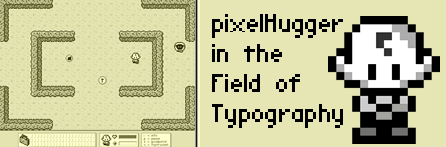
For those who find pixel art beautiful as I do, here's a wonderful pixelated game from the UK, created by the pixelHugger himself, Pete Everett. PixelHugger in the Field of Typography is about defeating the evil Auntie Alias who has mesmerized the Typographic World with her ultra-smooth ways. As a result, many perfectly good pixels lie abandoned in the Field of Typography, and your mission is to rescue as many as you can. The game map is huge with over 60 areas. And there are lots of sheep, flies and other nefarious creatures bent on thwarting your efforts with humiliation along the way. It's a cute game with a very clever approach.
Pete calls his Pixelhugger site his pixelated playground. There you will find pixel graphics of all kinds, icons, fonts and even a new game he's currently working on: pixelHugger in em-space.



I really like this pixelhugger a lot.. I wish I could customize the gamepad so i can complete the game in short time..
There is a free Windows program available that a Japanese author wrote called JoyToKey that allows you to map keyboard keys to gamepad buttons.
I believe it uses the DirectInput extensions to Microsoft's DirectX. I haven't tried it since I do not yet own a USB gamepad, but I will post an entry about it in the future when I get my hands on one.
Since I have USB Gamepad, I tried JoyToKey for first time, and I am frustrated with this, because D-pad does not work while playing with gamepad, but buttons only work so I read the READ ME manual and learned that I have to turn POV switches on (POV is like D-Pad), and finally it worked great on Flash games.
I really enjoy playing this game with gamepad, much more than keyboard. Also I played Alien Hominid with gamepad, and it is much more fun than Contra!
Anyway, did I mention PixelHugger character looks like Charlie Brown?
Ugh, moving between trees is really annoying, it's not made very well.
I couldn't get it started! when I open the link, it only shows half of the playing screen! Help!
Due to high traffic, Pete has moved the game to the Fingertime site. I have updated the Javascript so that the window opens with scroll bars with which you can position the window correctly.
This game was pretty hard, but a really cool concept all the less. At first I thought it was going to be relatively quick and somewhat brain-less (gotta love those games), it proved to be a lot more strategy-based than that. A few tweaks do seem to be in order, since it was very hard to position yourself correctly to go down a small path. Other than that, it was pretty enjoyable and I would recommend at least trying it out. ^_^
How do you beat this game.. someone HELP PLEASE!. How do you unleash the bazooka? and why does the screen mess up when you goto the room where I think Auntie Alias is? please hellllp
ooops.. ok 69 min.. took forever. missed 1 board.
Update