

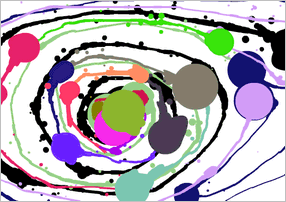
 The Jackson Pollock emulator is a simple Flash toy that simulates the drip style of painting popularized by Jackson Pollock. The entire browser window is a blank white canvas and your mouse becomes the paintbrush. Move the cursor over the surface to pour paint, changing colors with the left mouse button. Linger over one area for some time to leave large blotches or shake the mouse back and forth for light streams of paint. You may not create a masterpiece, but it's an engaging way to let your creativity flow.
Pollock produced a number of paintings in the 1940s and 50s, pioneering his now-famous style. He would tack a large piece of canvas on the floor of his old shed, preferring the solid feeling of the earth to an easel. The brush would never touch the canvas, Pollock would simply move around the painting pouring and dripping colors as he saw fit. A photographer once watched Pollock produce a painting. Over the half-hour session he describes being entranced by the playful focus of the painter. He moved like a dance, poured paint here and there, and then suddenly stood back and said "This is it."
To quote Pollock on what he experienced while he painted:When I am in my painting, I'm not aware of what I'm doing. I have no fear of making changes, destroying the image, etc., because the painting has a life of its own. I try to let it come through. It is only when I lose contact with the painting that the result is a mess. Otherwise there is pure harmony, an easy give and take, and the painting comes out well.
The Jackson Pollock Emulator captures some of the same creative magic. Produce a beautiful piece of art or just scatter colors on the screen. Either way, it's an entrancing experience. Play.
Thanks to Rob for sending this one in!



What a lovely little late afternoon relaxer!
Ah, Jackson Pollock paintings without all the non-washable mess.
I agree, very relaxing.
Is it just me, or is it really annoying when you right-click to change colour and the Flash menu comes up?
You left click to change the colors
thank you for sharing this! brilliant!
does anyone have some screen shots they would like to share?
i would share some myself but 1. i dont know how, and 2. i cant even draw in real life, let alone on the computer
I read about some on-going argument about someone stealing this idea from someone else, pretty much intact and passing it off as their own. I dont remember where I read it but it was at least a year ago. Neat function whatever the case, though Id much prefer it in real-life :). Maybe someone would like to take what they've done and use the 'Rasterbator' on it (just google the name).
I think I found an interesting bug: Try using the Flash menu you get while right-clicking, zoom in, move the mouse around a bit to drop paint, then zoom back out, and see what happens! (I don't know, this could be my computer...?)
Anyways, don't do this if you like your painting...
spacebar to clear the canvas
At boingboing they provides us with some links to the "on-going argument" that Lone mentions:
http://www.boingboing.net/2006/06/02/jackson_pollockasket.html
Fun little app, but wish it had some more options, like save picture as a JPG so you can put it on your desktop and even a color wheel so you can actually choose the colors instead or randomly clicking until you find something you like.
People should post there pictures... like this
Several years ago, a group of scientists analyzed the Paintings of Jackson Pollack and they discovered that his seemingly random drips, splotches and spots follow the very specific mathmatical laws of fractals, growing more complex through the years and then waning slightly after his alcoholic relapse just prior to his death. Very interesting, no? I'm going to use that brilliant bit of reasoning to justify why I'm playing this today instead of working.
i like it, its so relaxing and interesting
heres mine
This took me hours. Enjoy!
Clicky
Am I the only one still playing that dolphin game??
It looked a lot better without all the white around it.... may have to fix that.
How do you post a screen shot??? and how do you make one of the green text link thingys.... sorry for not being internet savvy
I call it Suburbia.
Thank you so much for posting this! It is such a fun and easy toy, and one that I shared with my coworkers. Anyone can play it, even the totally computer illeterate, and no one feels guilty if they have the screen open, even if the boss walks by! It has provided excellent rest from tedious work, even when we have had only a couple of minutes, and don't have time to get away from our desks. We've been printing them out, and decorating our cubes with them! :D
thanks
can anyone tell me if the colors are pollock colors,looking at his pictures it seems so.
Most of his colors were just random. It did a pretty good job imitating that. I just wish that there was a way to pick colors from a list rather than getting unsightly spots where there are colors you want to switch away from.
His backgrounds were often tan, not just white, so it would also be cool if you could change that color in an easier way than covering it completely with paint.
Either way, this is as fun as making a real painting like this, but there's no mess (and no way to frame it).
Anyways, It'd be interesting to try this on a Wii. More realistic, but still no mess!
whats that little heart in the corner?
Could someone PLEASE tell me what the beating heart on the upper left corner of the screen is!!!
I keep clicking on the play button, but when the screen appears, I move the mouse and no paint comes from the cursor! =(
If you click the heart in the corner, you get some information. Click the heart again to close it.
yeah. i found clicking on the heart changes the colour of the paint. but this thing is so cool
it isnt working???for some reason when it pulls up the blank page my mouse isnt...painting
Mine!
http://i51.tinypic.com/fo0v8i.jpg
Update