
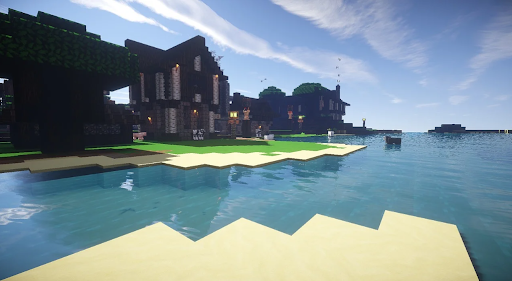
So yeah, you can play Minecraft on Switch. And it doesn't break or anything, it works.
You're not getting some cut-down version. It's the full game. You can go into survival, punch trees, build a house, get lost in a cave -- all the usual stuff. Nothing missing there.
But yeah, there's a catch here. Kinda obvious. The Switch isn't powerful. If your world is small, no problem. But once you start doing bigger builds or stacking farms, you might notice slowdowns. Not always, but yeah, it shows up.
Also, controls feel a bit off at first. On PC it's way tighter. Here it feels slower, a bit clunky. But after some time, it's fine.
The good part is simple -- it's portable. No need to sit down properly. Pick it up, play, save, done. That's where this version makes sense.
Minecraft on Switch -- Can You Play It or What
Yeah, pretty easy. Just open eShop, get the game, download, done. No extra stuff. If you're wondering can you play minecraft on nintendo switch, yeah, you're fine.
Now about playing with others.
If your friend is sitting next to you, local play works right away. No internet needed.
If they're not, then you'll need Nintendo Switch Online. Without it, multiplayer is pretty limited.
Crossplay is there too. That means you can join someone playing on a phone or console. You might be on Switch, your friend on Xbox, and it still works fine.
But yeah, mods are basically not a thing here. You get some content from the marketplace, but that's about it. No real freedom like on PC.
Minecraft on Switch -- Java or Bedrock
It's Bedrock, not Java. So yeah, if you're wondering is nintendo minecraft java or bedrock, it's the first one.
So if you were hoping for Java features -- that's not happening on Switch.
The reason is simple. Bedrock is the version that works across different devices. That's why crossplay works.
But there's a downside. You don't get full mod support. Java players can change almost everything. Bedrock players are more limited.
So if you're used to heavy modding, this version will feel restricted.
If you're just playing normally -- building, exploring, survival -- you probably won't care.
Playing with friends long term
So here's where people usually start running into questions.
Joining someone's world is easy. Invite, click, you're in.
But what if you want a world that stays online all the time? Like, everyone can join whenever they want.
That's where Realms or servers come in.
Realms are simple. You pay, it works, no setup. Good for small groups.
Servers give you more control, but setting them up yourself can be annoying. Especially if you don't want to deal with configs and all that.
So people start looking at stuff like modded minecraft server hosting comparison just to figure out which option doesn't break after two days.
Some services are cheap but lag. Some are stable but cost more. You kind of have to try and see what works.
Things that might annoy you
Not gonna lie, it's not always smooth. Just saying upfront.
Performance drops can happen. Especially in bigger worlds.
Sometimes the game just feels slower compared to PC. That's normal here.
Connections can also be weird. Even if your setup is fine, someone else might lag and affect everyone.
And version updates can mess things up. One update comes in, and suddenly something doesn't work the same.
None of this is rare. It's just how it goes.
So Yeah, That's Pretty Much It
If you want a simple way to play Minecraft anywhere, Switch does the job.
If you're planning huge builds, heavy modding, or super smooth gameplay -- this is not the best option.
But for casual play, short sessions, and playing with friends now and then, it works. So it really depends on what you expect going in.



Update