
Chat with Client Before Pressing Play: A Simple Guide to VR Viewing Modes
A headset can show a game, a panoramic recording or an ordinary video on a virtual screen. Each asks something different of the viewer. The VR playback settings reference from Brain Dance is a useful starting point before trying an unfamiliar clip. First establish which kind of experience the creator actually supplied, then choose the matching presentation in the player.
For someone used to casual games, the confusing part is often the invitation to interact. A scene may look explorable even when it is a recording from one fixed position. Another may respond to movement but offer no game objective. Understanding the format makes it easier to enjoy the experience without searching for controls that were never included.

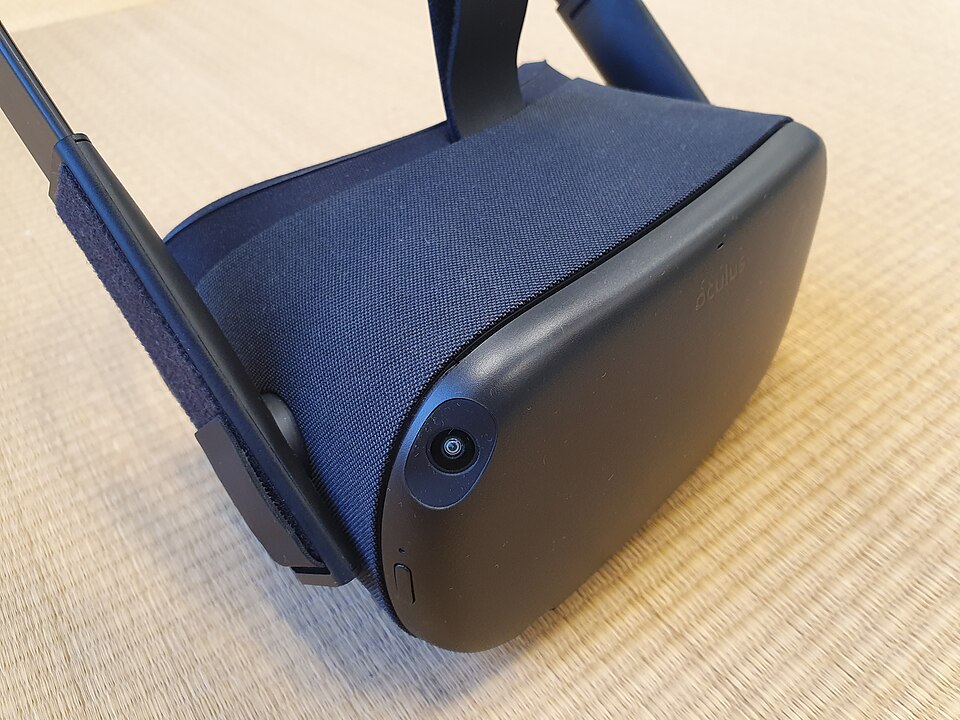
An Oculus Quest headset, illustrating a self-contained way to view immersive content. Photo: Syced, CC0, Wikimedia Commons.
Begin with the description, not the thumbnail
Read the creator's description before launching the experience. Look for an explanation of whether it is a video, an interactive scene or a game. A dramatic image of a landscape cannot answer that question. Nor can a short clip showing someone wearing a headset.
The description should also identify the intended device or application. If a separate player is required, use the instructions for that player. A generic VR label is not enough to establish compatibility. Check what the actual download or web page offers before spending time changing settings elsewhere.
Recognize a virtual screen
An ordinary movie can be displayed on a screen inside a virtual environment. You may be able to move the screen or choose a different surrounding room. Those controls change how the movie is presented, but they do not add new camera angles to the recorded scene.
This arrangement can still be enjoyable. The important point is to describe it accurately. A character walking off the edge of the movie frame cannot be followed simply by turning your head. The original camera and editing still determine what the film contains, just as they do on a television.
Know what a panorama lets you change
A panoramic recording offers a broader field to look around. The viewer chooses which part of the captured view to inspect, while the camera's recorded position and the sequence of events remain determined by the source material. Looking in another direction is a meaningful choice, but it is not the same as walking to a new position in a game world.
Start by finding the recording's main subject. Notice whether the creator uses sound, movement or a repeated landmark to help you return to it. If you miss something, replay a short section and look elsewhere. Exploration can be part of the experience without turning it into a puzzle with a correct solution.
Match the image layout to the player
Some video files contain separate views for the two eyes. Others contain one view. A player may need information about how those images are arranged and how the captured scene should be projected. The correct setting comes from the source description or the player's instructions, rather than from choosing whichever label sounds more immersive.
If an image appears doubled, oddly stretched or divided into panels, pause and check the format. Avoid judging the artistic quality of a clip while its presentation is clearly wrong. Changing one setting at a time makes it easier to identify which adjustment restored the intended picture.
Separate interaction from the story
An interactive scene may let you inspect objects without offering the goals of a conventional game. A game may use a headset while keeping its actions simple. Neither needs to imitate the other. Read the controls, locate the menu and find the way to exit before becoming absorbed in the scene.
For a first session, choose a short experience whose instructions are clear. Follow the headset's setup and viewing guidance, and stop when you want a break. There is no need to finish a demonstration merely because its running time is short. The useful first impression is one made with a working picture and understandable controls.
Leave with a better question
After trying a clip, ask what the viewing mode contributed. Did looking around reveal a detail? Did a virtual screen make the original framing easier to notice? Did interaction create a choice that a recording could not provide? These questions make comparisons more interesting than deciding whether everything was sufficiently VR.
A little preparation removes much of the mystery. Identify the format, follow its specific instructions and establish a clear picture. Then the headset becomes a way to examine an experience on its own terms, whether it lasts two minutes or develops into a longer game.



Update