New games|All games|Competitions|Suggest a game|Favorites|Help Squad|Chat|Prefs

By Jay | add this!

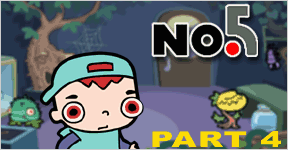
JayNo. 5 Part 4If you haven't yet played Mink's adorably cute animated point-and-click puzzle games at 3Wish.com, you owe it to yourself to check them out. (Previously reviewed here.)

If you have already played them, then there is still a reason for another visit: No. 5 Part 4 is out. Click.

Cheers to Relic for the alert. =)

  • Currently 4.8/5
  • 1
  • 2
  • 3
  • 4
  • 5
Rating: 4.8/5 (5 votes cast)

No. 5 Part 4 walkthrough now available!

Walkthrough Guide

Complete Walkthrough 3Wish Adventures No.5 (Parts 1-4)

image
No.5 - Part 1
image

  • image
    Click on one of the pieces of wire above your head, to swap them.

  • image
    Click on yourself. The green animal in the other cell turns to a stick.

  • image
    Pick up the stick.

  • image
    Click on the red wire to the top-right of the screen, in order to adjust its position with the stick.

  • image
    The stick is returned to the cage. Click on the monkey, to make the alien zap himself, and indirectly free you.

  • image
    Your cell opens. Pick up the pen that fell on the floor.

  • image
    Click on your face. You will draw a third eye, in order to fool the scanner above the door.

  • image
    Click on the door. You are successfully scanned, and now leave.

  • Part 1 - Finished!


No.5 - Part 2
image

  • image
    Pick up the green panel near the fish tank.

  • image
    Plug it into the square hole in the floor (between you and the fish tank) by clicking on the hole.

  • image
    Pick up the red animal in the open glass pod, and place him in the freezer (to the right of his pod).

  • image
    Open the freezer and take the green item from his mouth. Plug this into the panel. This allows you to turn into animals.

  • image
    Click on the purple creature, second from the left, to turn into it.

  • image
    Click on the cable to plug it in. The screen turns on and the antenna rises slightly.

  • image
    Click on yourself to turn back into a boy, and then click on the green animal, 3rd from the left, to turn into it.

  • image
    Make the antenna round with your tongue (by clicking it), and then turn back into a boy.

  • image
    Turn into the spider (far left), and click on the antenna to put a web on it, making a net.

  • image
    Turn back to a boy and pick up the net.

  • image
    Use the net to cacth the fish from the pond. You put it in the open cell.

  • image
    Turn into the fish, and click on the tape/disk to pick it up. You turn back to a boy automatically.

  • image
    Put the tape (disk?) into the hole to the left of the buttons on the computer.

  • image
    A trap door opens. Move onto it, and click on yourself to leave the room.

  • Part 2 - Finished!


No.5 - Part 3
image

  • image
    Pick up the pipe to the right of the screen.

  • image
    Click on the hook holding the chain on the wall to break it of with the pipe. The pipe bends.

  • image
    Click on the purple monster to swap your pipe for his tool, with which you should complete the switch on the wall to the right.

  • image
    Click on the switch to turn on the computer and the lights.

  • image
    Pick up the empty jar at the bottom of the screen, and put it under the yellow, onion-like animal's box.

  • image
    Take the tubing from next to the green animal, and click on the are under the brown pipe to make the monster put it there.

  • image
    A small bug appears in the jar under the yellow animal. Take the jar, and put it in the box to the animal's right, attached to the computer.

  • image
    Press the flashing red button on the computer. A printed sheet appears.

  • image
    The sheet wants you to mix liquids to the purple colour. You do this by selecting which liquids to add, at the bottom-left of the screen.

  • image
    What to add:
    • image
      Blue x 2
    • image
      Yellow x 1
    • image
      Red x 1
    It does not matter in which order you add them

  • image
    Tip the purple contents of the jar into the hole next to the little green animal, at the bottom of the screen. The animal turns purple, like the monster.

  • image
    Pick up the small purple animal, and give it to the monster by clicking on him.

  • image
    Click on the door behind the monster, and he will open it for you. Finally, click yourself to exit the room.

  • Part 3 - Finished!

No.5 - Part 4
image

  • image
    Click the lidded plant at the bottom of the screen. You become well-disguised as a plant.

  • image
    Click on the glass door to the left of the screen. You take a plant.

  • image
    Click on the spider web on the tree. It will attach to the plant.

  • image
    Place the plant you are carrying in the door handle.

  • image
    Close the glass door on the left by clicking on it, and then open it again once it is mostly covered in dirt.

  • image
    Pick up the stone that falls out. Throw it at the spider. The spider falls onto the table.

  • image
    Click on the glass of the main door to knock on it. An alien will enter, catching the spider on the web, and bringing it back when shut.

  • image
    The yellow plant follows the spider, allowing you access to the water jug.

  • image
    Take the water jug by clicking on it, and then pour it into the tree.

  • image
    Pick up the metal cylinder from the tree's mouth, and place it in the upper chamber of the toilet. A seat rises, and you sit on it.

  • image
    Click on the handle to flush yourself down, leaving the room.

  • Part 4 - Finished!

Comments (may contain spoilers)

Too cute! You gotta love that little kid that sings at the end.

Just a shame that such a long wait filled so few moments out of my day. That said the quality is, as always, top notch.

so cool cant wait for the next one

Still fun, but that was the easiest one by far. Anyone should be able to solve it without hints. Some of the things you need to do aren't very intuitive, however.

Very cute. Loved the interesting escape at the end.

im stuck. what do i do with the tree with yellow head?

just got it.

funny ending

image
he gets flushed down the toilet

can someone help me? I've

image
got him in the leaf suit and he has the spider web net
but he won't do anything else right now, I've clicked on everything and he just keeps shrugging his shoulders. :(

Naomi, Have you tried the

image
door handle?

Very cute ending!

The door handle does something? I thought it was the

image

window

Step-by-step walkthrough:

image
Click on the leaf pod on the bottom center of the screen.
image
Click on the glass case past the little pointy alien on the left.
image
Click on the spider web.
image
Click on the door handle.
image
Click on the door to the glass case that the pointy alien is in.
image
Click on the door to the case again to open it.
image
Click on the little pebble thing in the dirt that comes out.
image
Click on the bug on the right side of the screen.
image
Click on the door window.
image
Click on the bottle of water on the right.
image
Click on the tree's mouth.
image
Click on the thing that floats to the top of the water.
image
Click on the tank of the toilet on the bottom-left.
image
Click on the flushing handle.

My first walkthrough! I'm so proud!

thanks! that was cute!

That was way too short. Fun though.

site mainitance.... grrr
will post once i get a chance to play this..

that little leaf suit is the shizz

These aliens have a lot of weird things in their ship.

Anyway, short but cute.

Next one in, what, a year or so?

super cute! I love these little entries.

Oh. My gosh. I got it all on the first try without help! This is a first for me! I'm gonna go bask in my glory...

Wow! I got through that without using a walkthrough! It's a first for me too!

that was cool but short. oh well still good fun, no hints needed.

Yay - also completed it without a walkthrough! Gosh, I feel quite

image
flushed

I went to the website and played the first 3 No.5s and really enjoyed them. Got stuck here and there but after a while I figured them out. I have been wanting to continue to the forth one but the servers a down a lot and when ever I want to play I can't. I also noticed 2 other series on the website. I can't wait to play them also.

Awsome!
Either I'm getting smarter, or these are getting easier. This was the only one I could finish without help :D

Good stuff! I hadn't seen any of these before, just went through all of Mr. Zhong and the rat and the No.5 games.. all very enjoyable.

this one is easy...even if you can't get it, just simply guess to click on the things will help much too!

i finnaly past

Complete Walkthrough 3Wish Adventures No.5 (Parts 1-4)

image
No.5 - Part 1
image

  • image
    Click on one of the pieces of wire above your head, to swap them.

  • image
    Click on yourself. The green animal in the other cell turns to a stick.

  • image
    Pick up the stick.

  • image
    Click on the red wire to the top-right of the screen, in order to adjust its position with the stick.

  • image
    The stick is returned to the cage. Click on the monkey, to make the alien zap himself, and indirectly free you.

  • image
    Your cell opens. Pick up the pen that fell on the floor.

  • image
    Click on your face. You will draw a third eye, in order to fool the scanner above the door.

  • image
    Click on the door. You are successfully scanned, and now leave.

  • Part 1 - Finished!


No.5 - Part 2
image

  • image
    Pick up the green panel near the fish tank.

  • image
    Plug it into the square hole in the floor (between you and the fish tank) by clicking on the hole.

  • image
    Pick up the red animal in the open glass pod, and place him in the freezer (to the right of his pod).

  • image
    Open the freezer and take the green item from his mouth. Plug this into the panel. This allows you to turn into animals.

  • image
    Click on the purple creature, second from the left, to turn into it.

  • image
    Click on the cable to plug it in. The screen turns on and the antenna rises slightly.

  • image
    Click on yourself to turn back into a boy, and then click on the green animal, 3rd from the left, to turn into it.

  • image
    Make the antenna round with your tongue (by clicking it), and then turn back into a boy.

  • image
    Turn into the spider (far left), and click on the antenna to put a web on it, making a net.

  • image
    Turn back to a boy and pick up the net.

  • image
    Use the net to cacth the fish from the pond. You put it in the open cell.

  • image
    Turn into the fish, and click on the tape/disk to pick it up. You turn back to a boy automatically.

  • image
    Put the tape (disk?) into the hole to the left of the buttons on the computer.

  • image
    A trap door opens. Move onto it, and click on yourself to leave the room.

  • Part 2 - Finished!


No.5 - Part 3
image

  • image
    Pick up the pipe to the right of the screen.

  • image
    Click on the hook holding the chain on the wall to break it of with the pipe. The pipe bends.

  • image
    Click on the purple monster to swap your pipe for his tool, with which you should complete the switch on the wall to the right.

  • image
    Click on the switch to turn on the computer and the lights.

  • image
    Pick up the empty jar at the bottom of the screen, and put it under the yellow, onion-like animal's box.

  • image
    Take the tubing from next to the green animal, and click on the are under the brown pipe to make the monster put it there.

  • image
    A small bug appears in the jar under the yellow animal. Take the jar, and put it in the box to the animal's right, attached to the computer.

  • image
    Press the flashing red button on the computer. A printed sheet appears.

  • image
    The sheet wants you to mix liquids to the purple colour. You do this by selecting which liquids to add, at the bottom-left of the screen.

  • image
    What to add:
    • image
      Blue x 2
    • image
      Yellow x 1
    • image
      Red x 1
    It does not matter in which order you add them

  • image
    Tip the purple contents of the jar into the hole next to the little green animal, at the bottom of the screen. The animal turns purple, like the monster.

  • image
    Pick up the small purple animal, and give it to the monster by clicking on him.

  • image
    Click on the door behind the monster, and he will open it for you. Finally, click yourself to exit the room.

  • Part 3 - Finished!

No.5 - Part 4
image

  • image
    Click the lidded plant at the bottom of the screen. You become well-disguised as a plant.

  • image
    Click on the glass door to the left of the screen. You take a plant.

  • image
    Click on the spider web on the tree. It will attach to the plant.

  • image
    Place the plant you are carrying in the door handle.

  • image
    Close the glass door on the left by clicking on it, and then open it again once it is mostly covered in dirt.

  • image
    Pick up the stone that falls out. Throw it at the spider. The spider falls onto the table.

  • image
    Click on the glass of the main door to knock on it. An alien will enter, catching the spider on the web, and bringing it back when shut.

  • image
    The yellow plant follows the spider, allowing you access to the water jug.

  • image
    Take the water jug by clicking on it, and then pour it into the tree.

  • image
    Pick up the metal cylinder from the tree's mouth, and place it in the upper chamber of the toilet. A seat rises, and you sit on it.

  • image
    Click on the handle to flush yourself down, leaving the room.

  • Part 4 - Finished!

i love the escape it was awsome too bad he can't

image
get out the toilet lid fell down

full walk no4

image
click the green thing on the plant click on the box thing click the web on the tree click the handle click the box again click it again take the food thing click the spider click the window click the bottle of water click the trees mouth click the tool thing click the toilet click the chain

Comment Preview

Leave a comment

  • Please consider creating a Casual Gameplay account if you're a regular visitor here even if you already have a TypeKey identity, as it will allow us to create an even better experience for you.

    To create a new Casual Gameplay account YOU MUST SIGN-OUT FROM TYPEKEY FIRST (if already signed in).
  • Out of respect for our international community (some use page translators), please use English. Comments containing IM-speak gibberish will be deleted. (if u rite like dis, dun bother).
  • You may use limited HTML tags for style: (a href, b, br/, strong, em, ul, ol, li, code, spoiler)
    For code snippets or ascii art, use code tags for monospaced font and to preserve whitespace.
  • To post spoilers, please use spoiler tags: <spoiler>example</spoiler>
    If you need help understanding spoiler tags, read the spoiler help.