New games|All games|Competitions|Suggest a game|Favorites|Help Squad|Chat|Prefs

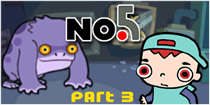
No. 5 Part 3If you haven't yet played the darling animated point-and-click puzzle games from 3wish, you owe it to yourself to check them out. Click.

If you have already played them, then there is still a reason for another visit: No. 5 Part 3 is now available to play online. Click.

  • Currently 4/5
  • 1
  • 2
  • 3
  • 4
  • 5
New! Rating: 4/5 (1 votes cast)

No. 5 Part 3 walkthrough now available!

Walkthrough Guide

Complete Walkthrough 3Wish Adventures No.5 (Parts 1-4)

image
No.5 - Part 1
image

  • image
    Click on one of the pieces of wire above your head, to swap them.

  • image
    Click on yourself. The green animal in the other cell turns to a stick.

  • image
    Pick up the stick.

  • image
    Click on the red wire to the top-right of the screen, in order to adjust its position with the stick.

  • image
    The stick is returned to the cage. Click on the monkey, to make the alien zap himself, and indirectly free you.

  • image
    Your cell opens. Pick up the pen that fell on the floor.

  • image
    Click on your face. You will draw a third eye, in order to fool the scanner above the door.

  • image
    Click on the door. You are successfully scanned, and now leave.

  • Part 1 - Finished!


No.5 - Part 2
image

  • image
    Pick up the green panel near the fish tank.

  • image
    Plug it into the square hole in the floor (between you and the fish tank) by clicking on the hole.

  • image
    Pick up the red animal in the open glass pod, and place him in the freezer (to the right of his pod).

  • image
    Open the freezer and take the green item from his mouth. Plug this into the panel. This allows you to turn into animals.

  • image
    Click on the purple creature, second from the left, to turn into it.

  • image
    Click on the cable to plug it in. The screen turns on and the antenna rises slightly.

  • image
    Click on yourself to turn back into a boy, and then click on the green animal, 3rd from the left, to turn into it.

  • image
    Make the antenna round with your tongue (by clicking it), and then turn back into a boy.

  • image
    Turn into the spider (far left), and click on the antenna to put a web on it, making a net.

  • image
    Turn back to a boy and pick up the net.

  • image
    Use the net to cacth the fish from the pond. You put it in the open cell.

  • image
    Turn into the fish, and click on the tape/disk to pick it up. You turn back to a boy automatically.

  • image
    Put the tape (disk?) into the hole to the left of the buttons on the computer.

  • image
    A trap door opens. Move onto it, and click on yourself to leave the room.

  • Part 2 - Finished!


No.5 - Part 3
image

  • image
    Pick up the pipe to the right of the screen.

  • image
    Click on the hook holding the chain on the wall to break it of with the pipe. The pipe bends.

  • image
    Click on the purple monster to swap your pipe for his tool, with which you should complete the switch on the wall to the right.

  • image
    Click on the switch to turn on the computer and the lights.

  • image
    Pick up the empty jar at the bottom of the screen, and put it under the yellow, onion-like animal's box.

  • image
    Take the tubing from next to the green animal, and click on the are under the brown pipe to make the monster put it there.

  • image
    A small bug appears in the jar under the yellow animal. Take the jar, and put it in the box to the animal's right, attached to the computer.

  • image
    Press the flashing red button on the computer. A printed sheet appears.

  • image
    The sheet wants you to mix liquids to the purple colour. You do this by selecting which liquids to add, at the bottom-left of the screen.

  • image
    What to add:
    • image
      Blue x 2
    • image
      Yellow x 1
    • image
      Red x 1
    It does not matter in which order you add them

  • image
    Tip the purple contents of the jar into the hole next to the little green animal, at the bottom of the screen. The animal turns purple, like the monster.

  • image
    Pick up the small purple animal, and give it to the monster by clicking on him.

  • image
    Click on the door behind the monster, and he will open it for you. Finally, click yourself to exit the room.

  • Part 3 - Finished!

No.5 - Part 4
image

  • image
    Click the lidded plant at the bottom of the screen. You become well-disguised as a plant.

  • image
    Click on the glass door to the left of the screen. You take a plant.

  • image
    Click on the spider web on the tree. It will attach to the plant.

  • image
    Place the plant you are carrying in the door handle.

  • image
    Close the glass door on the left by clicking on it, and then open it again once it is mostly covered in dirt.

  • image
    Pick up the stone that falls out. Throw it at the spider. The spider falls onto the table.

  • image
    Click on the glass of the main door to knock on it. An alien will enter, catching the spider on the web, and bringing it back when shut.

  • image
    The yellow plant follows the spider, allowing you access to the water jug.

  • image
    Take the water jug by clicking on it, and then pour it into the tree.

  • image
    Pick up the metal cylinder from the tree's mouth, and place it in the upper chamber of the toilet. A seat rises, and you sit on it.

  • image
    Click on the handle to flush yourself down, leaving the room.

  • Part 4 - Finished!

Comments (may contain spoilers)

All in all not bad, a bit hard due to a few very small clickable items that you may miss the first time around. But stick with it and you will come out on top.

Easier then first 2 or I am getting used to them :)

Still fun.

I am stuck. I have done the bent pipe, the switch and the hose, but I am stuck on what to do next? Please help!

I'm stuck! I don't seem to be able to pass the gorrilla the hose? Can anyone help? Pls!

I just finished it. you just need to keep clicking on little spots around the place.

Okay everytime I give the pipe to the gorilla it just chucks it. What do I need to do next? HELP!!

this one was really easy.


The reason the monster keeps tossing the pipe is because he's mad about being chained up. I bet you can use the pipe somehow to free him - he'll probably be nicer then...

AS for the hose- look around- I'm sure there is some place it belongs..

I do see where the pipe/hose can fit directly above the "gorilla", however I can not find a way to free him. Anyone have any other suggestions?

Ok ok ok...So I made it. I finally started to click on the right things! Now I am to the part where the monster has use the mutieyed little monsters to kill the bugs and sadly I am stuck again. Anyone want to give me a hand?

Ok ok ok...So I made it. I finally started to click on the right things! Now I am to the part where the monster has use the mutieyed little monsters to kill the bugs and sadly I am stuck again. Anyone want to give me a hand?

I can't figure our what color to make in the weird bulb machine thingy... the color on the paper that came out of the printer when I put the flea in won't work!

Nevermind... got it

Amanda- keep clicking - you'll figure it out.

Haha - you need to make that color that is on the paper - HINT: It's not plain old blue+red=purple. You will use all three colors and if I recall - one is used twice...

Amanda- keep clicking - you'll figure it out.

Haha - you need to make that color that is on the paper - HINT: It's not plain old blue+red=purple. You will use all three colors and if I recall - one is used twice...

Amanda - there is a small panel behind the gorilla.

What do I do with the glass pot on the conveyor thing? I click on it and the kid picks it up and then I can't do anything else.

I'm stuck holding the jar. What can you click on to make him stop that damn shrugging??

Very simple compared to the first two IMO...

LeeshaJoy and Toby,

Carefully observe the glass container that the onion looking creature is in. Can you figure out a place to stick it on?

Also, the guestbook has been weirded up and a pop up with "El pep es gay" keeps appearing on mine... Some screwy html someone may have posted?

David, I agree. I had to use help on the first two. This one didn't take me but 10 minutes really. Not to brag though -- I think that I just got used to the style and had an idea of what I was gonna have to do to solve it. Just keep trying, guys! Remember -- if the gorilla is happy, you're happy. :)


David - Thank you so much for your post about the glass jar!! I was stuck there for just about forever!

Great game, Jay!!

Good game, I love this series! Thanks for the hints, I completed it at last...
I look forward to the next 3wish installment...

someone PLEASE help me. I picked up the empty glass jar off the conveyor belt and tried to put it in the compartment thing by that onion thingy, but he shrugs. what am i supposed to do??? HELP ME PLEASE!!! and don't give a hint, TELL ME IN DETAIL WHAT TO DO AND I'LL LEAVE YALL ALONE. thanks ;)

A lot of people fail to see where another glass jar has already broken.

lol, 3 times i went all the way up to getting the flees of the gorilla, and i knew there was a panel behind him, but it took me those 3 times to figure out all I had to do was click the corner sticking out rather than getting him to move out of the way. silly me

I look forward to this group releasing more

Nice, quite easy (i solved the first two too).

all three of these were fairly easy, but quite entertaining. i had more difficulty with that glass jar than anything..

ok I've put the pipe were it shud go.... pleeeeeeez giv me a spoiler! I'm gunna go crazy!

by the way the ady aint real

Good game =]
Wonder when part 4 comes out

Interesting game. I'm compiling a list of cute puzzle games on this site. Unfortunately, I haven't been exploring this site for long, so all I have is:
Samorost
Samorost II
3wish Adventures
Tork
Asylum
Back to the Asylum
Chiko: Accidental Alien
Anyone else have any recommendations?

did everything got to the

image
pannel behind the gorilla
and i
image
fell in to the darkness
was that supposed to happen??? cute game though loved it! Ffirexxx

Complete Walkthrough 3Wish Adventures No.5 (Parts 1-4)

image
No.5 - Part 1
image

  • image
    Click on one of the pieces of wire above your head, to swap them.

  • image
    Click on yourself. The green animal in the other cell turns to a stick.

  • image
    Pick up the stick.

  • image
    Click on the red wire to the top-right of the screen, in order to adjust its position with the stick.

  • image
    The stick is returned to the cage. Click on the monkey, to make the alien zap himself, and indirectly free you.

  • image
    Your cell opens. Pick up the pen that fell on the floor.

  • image
    Click on your face. You will draw a third eye, in order to fool the scanner above the door.

  • image
    Click on the door. You are successfully scanned, and now leave.

  • Part 1 - Finished!


No.5 - Part 2
image

  • image
    Pick up the green panel near the fish tank.

  • image
    Plug it into the square hole in the floor (between you and the fish tank) by clicking on the hole.

  • image
    Pick up the red animal in the open glass pod, and place him in the freezer (to the right of his pod).

  • image
    Open the freezer and take the green item from his mouth. Plug this into the panel. This allows you to turn into animals.

  • image
    Click on the purple creature, second from the left, to turn into it.

  • image
    Click on the cable to plug it in. The screen turns on and the antenna rises slightly.

  • image
    Click on yourself to turn back into a boy, and then click on the green animal, 3rd from the left, to turn into it.

  • image
    Make the antenna round with your tongue (by clicking it), and then turn back into a boy.

  • image
    Turn into the spider (far left), and click on the antenna to put a web on it, making a net.

  • image
    Turn back to a boy and pick up the net.

  • image
    Use the net to cacth the fish from the pond. You put it in the open cell.

  • image
    Turn into the fish, and click on the tape/disk to pick it up. You turn back to a boy automatically.

  • image
    Put the tape (disk?) into the hole to the left of the buttons on the computer.

  • image
    A trap door opens. Move onto it, and click on yourself to leave the room.

  • Part 2 - Finished!


No.5 - Part 3
image

  • image
    Pick up the pipe to the right of the screen.

  • image
    Click on the hook holding the chain on the wall to break it of with the pipe. The pipe bends.

  • image
    Click on the purple monster to swap your pipe for his tool, with which you should complete the switch on the wall to the right.

  • image
    Click on the switch to turn on the computer and the lights.

  • image
    Pick up the empty jar at the bottom of the screen, and put it under the yellow, onion-like animal's box.

  • image
    Take the tubing from next to the green animal, and click on the are under the brown pipe to make the monster put it there.

  • image
    A small bug appears in the jar under the yellow animal. Take the jar, and put it in the box to the animal's right, attached to the computer.

  • image
    Press the flashing red button on the computer. A printed sheet appears.

  • image
    The sheet wants you to mix liquids to the purple colour. You do this by selecting which liquids to add, at the bottom-left of the screen.

  • image
    What to add:
    • image
      Blue x 2
    • image
      Yellow x 1
    • image
      Red x 1
    It does not matter in which order you add them

  • image
    Tip the purple contents of the jar into the hole next to the little green animal, at the bottom of the screen. The animal turns purple, like the monster.

  • image
    Pick up the small purple animal, and give it to the monster by clicking on him.

  • image
    Click on the door behind the monster, and he will open it for you. Finally, click yourself to exit the room.

  • Part 3 - Finished!

No.5 - Part 4
image

  • image
    Click the lidded plant at the bottom of the screen. You become well-disguised as a plant.

  • image
    Click on the glass door to the left of the screen. You take a plant.

  • image
    Click on the spider web on the tree. It will attach to the plant.

  • image
    Place the plant you are carrying in the door handle.

  • image
    Close the glass door on the left by clicking on it, and then open it again once it is mostly covered in dirt.

  • image
    Pick up the stone that falls out. Throw it at the spider. The spider falls onto the table.

  • image
    Click on the glass of the main door to knock on it. An alien will enter, catching the spider on the web, and bringing it back when shut.

  • image
    The yellow plant follows the spider, allowing you access to the water jug.

  • image
    Take the water jug by clicking on it, and then pour it into the tree.

  • image
    Pick up the metal cylinder from the tree's mouth, and place it in the upper chamber of the toilet. A seat rises, and you sit on it.

  • image
    Click on the handle to flush yourself down, leaving the room.

  • Part 4 - Finished!

Comment Preview

Leave a comment

  • Site registrations are now implemented(!) Please consider creating an account if you're a regular visitor here even if you already have a TypeKey identity, as it will allow us to create an even better experience for you.

    To create a new account YOU MUST SIGN-OUT FROM TYPEKEY FIRST.
  • Out of respect for our international community (some use page translators), please use English. Comments containing IM-speak gibberish will be deleted. (if u rite like dis, dun bother).
  • You may use limited HTML tags for style: (a href, b, br/, strong, em, ul, ol, li, code, spoiler)
    For code snippets or ascii art, use code tags for monospaced font and to preserve whitespace.
  • To post spoilers, please use spoiler tags: <spoiler>example</spoiler>
    If you need help understanding spoiler tags, read the spoiler help.